User Edit
How to Edit an Existing User:
Step 1 - Access the User Section
- Click on “Settings” in the toolbar at the top of the page.

- Click on “Account” to load the account section.
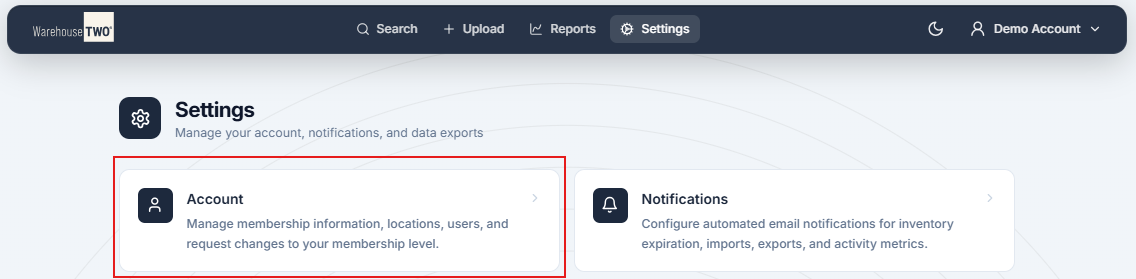
- Click the “Users” button at the top of the page.

Step 2 - Edit Existing User
- Click “Edit” to the left of the user that you wish to edit.
- Make any desired changes to the user.
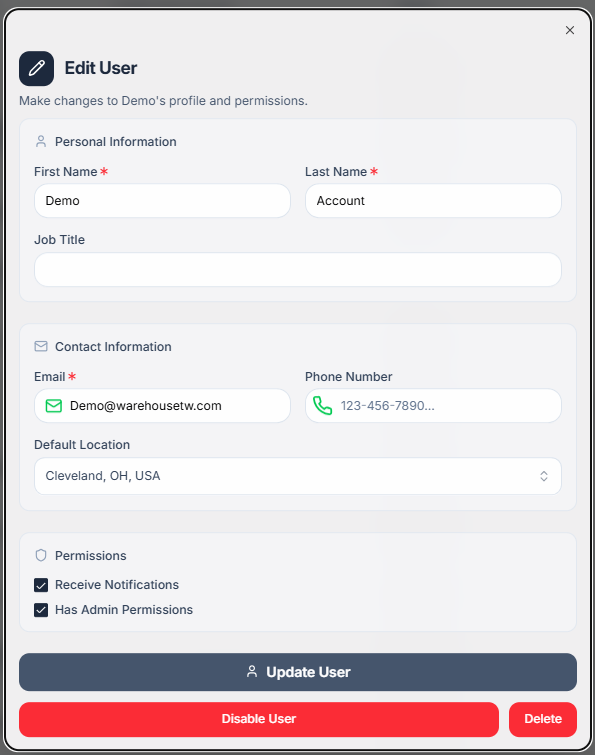
- Click “Update User” in the bottom left corner of the User Edit screen.